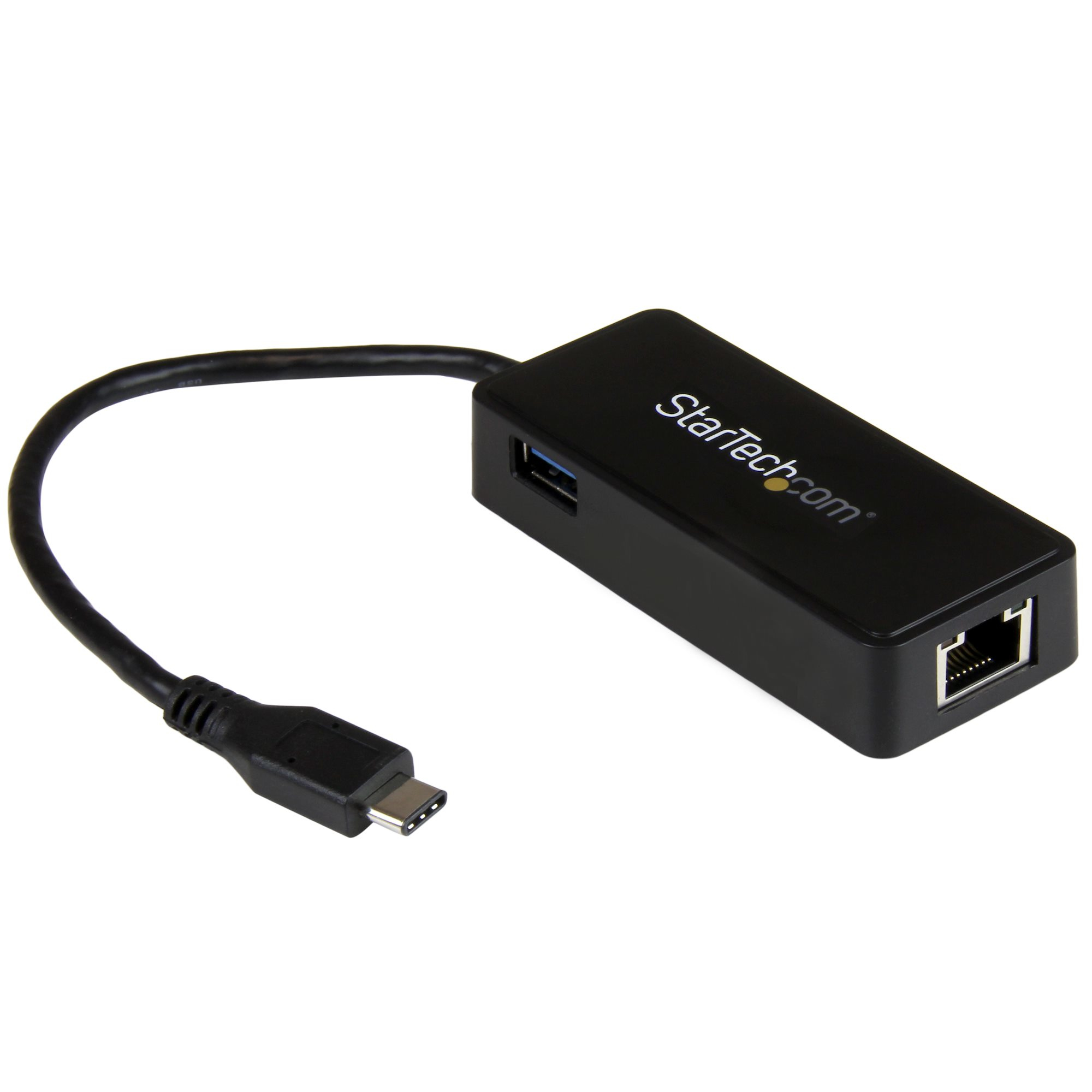
Use the USB Type-C port on your laptop to add a Gigabit Ethernet port and a USB 3.1 Gen 1 (type-A) port
Now, you can easily connect to a Gigabit network through the USB-C™ or Thunderbolt™ 3 port on your laptop or desktop computer, and add connectivity for an additional USB (Type-A) peripheral device. It's a great companion for your MacBook, Chromebook Pixel™, Dell™ XPS 12, Dell Latitude 12 7000 Series 2-in-1 or other devices.
Powerful Gigabit Network Connections
The USB-C network adapter supports full Gigabit bandwidth by harnessing the performance of USB 3.1 Gen 1 (5 Gbps). You can quickly access very large files over the network at Gigabit speed.
Native Driver Support Makes Installation Easy
Get up and running quickly. Simply plug the adapter into the USB Type-C™ port on your laptop and connect to your network. The network adapter chipset provides native driver support in Chrome OS™ and Windows® 8.1, and supports Mac OSX (10.10) with driver installation.
Trouble-Free Connections Through USB-Type-C
The USB-C connector is smaller and easier to use than previous USB connectors. It’s a reversible plug so you can connect to your devices with either side facing up, without frustration or the risk of port damage.
With a compact design, this USB-C network adapter is as portable as your laptop, perfect for ultra-portable devices that have a USB-C port, such as the MacBook and Chromebook Pixel™. The network adapter is bus-powered which makes it easy to connect when you’re on the go.
Additional Connectivity With an Extra USB 3.1 Port
Some computers with USB Type-C only offer one port for external connectivity. This Ethernet adapter features a built-in USB Type-A port, giving you the freedom to attach an additional peripheral device, such as a USB mouse.
Enhance Productivity and Device Management with the StarTech.com Connectivity Tools Application
Developed to improve performance and security, StarTech.com Connectivity Tools is the only software suite on the market that works with a wide range of IT connectivity accessories. The software suite includes:
•
Mac Address Pass-Through Utility : To improve network security.
•
Wi-Fi Auto Switch Utility : Enabling users to quickly access faster network speeds via wired LAN.
For more information and to download the StarTech.com Connectivity Tools application, please visit: www.StarTech.com/Connectivity-Tools
The US1GC301AU is backed by a StarTech.com 2-year warranty and free lifetime technical support.
The StarTech.com Advantage
Now, you can easily connect to a Gigabit network through the USB-C™ or Thunderbolt™ 3 port on your laptop or desktop computer, and add connectivity for an additional USB (Type-A) peripheral device. It's a great companion for your MacBook, Chromebook Pixel™, Dell™ XPS 12, Dell Latitude 12 7000 Series 2-in-1 or other devices.
Powerful Gigabit Network Connections
The USB-C network adapter supports full Gigabit bandwidth by harnessing the performance of USB 3.1 Gen 1 (5 Gbps). You can quickly access very large files over the network at Gigabit speed.
Native Driver Support Makes Installation Easy
Get up and running quickly. Simply plug the adapter into the USB Type-C™ port on your laptop and connect to your network. The network adapter chipset provides native driver support in Chrome OS™ and Windows® 8.1, and supports Mac OSX (10.10) with driver installation.
Trouble-Free Connections Through USB-Type-C
The USB-C connector is smaller and easier to use than previous USB connectors. It’s a reversible plug so you can connect to your devices with either side facing up, without frustration or the risk of port damage.
With a compact design, this USB-C network adapter is as portable as your laptop, perfect for ultra-portable devices that have a USB-C port, such as the MacBook and Chromebook Pixel™. The network adapter is bus-powered which makes it easy to connect when you’re on the go.
Additional Connectivity With an Extra USB 3.1 Port
Some computers with USB Type-C only offer one port for external connectivity. This Ethernet adapter features a built-in USB Type-A port, giving you the freedom to attach an additional peripheral device, such as a USB mouse.
Enhance Productivity and Device Management with the StarTech.com Connectivity Tools Application
Developed to improve performance and security, StarTech.com Connectivity Tools is the only software suite on the market that works with a wide range of IT connectivity accessories. The software suite includes:
•
Mac Address Pass-Through Utility : To improve network security.
•
Wi-Fi Auto Switch Utility : Enabling users to quickly access faster network speeds via wired LAN.
For more information and to download the StarTech.com Connectivity Tools application, please visit: www.StarTech.com/Connectivity-Tools
The US1GC301AU is backed by a StarTech.com 2-year warranty and free lifetime technical support.
The StarTech.com Advantage
| Connectivity technology | Wired |
|---|---|
| Host interface | USB |
| Interface | Ethernet |
| Internal | N |
StarTech.com USB-C to Gigabit Network Adapter with Extra USB 3.0 Port
£41.77
£34.81
In stock
Only 6 left
SKU
US1GC301AU
StarTech.com USB-C to Ethernet Gigabit Adapter - Thunderbolt 3 Compatible - USB Type C Network Adapter - USB C Ethernet Adapter
See all Specs
Fast Dispatch
- Same-day dispatch available (order before cutoff)
- Next working day delivery available
- Tracking provided on every shipment
- Secure UK delivery
Need it urgently? Contact our team.
Why Buy From Etech Networks?
- Competitive pricing across leading brands
- Fast dispatch from our UK-based team
- Expert support when you need it
Purchase Orders Accepted
We accept purchase orders from eligible organisations.
Need Help Fast?
Quick support on compatibility, delivery, or ordering.
Secure Checkout
Card • Bank transfer • Purchase order

 StarTech.com USB to Ethernet Adapter, USB 3.0 to 10/100/1000 Gigabit Ethernet LAN Converter for Laptops, 11.8in/30cm Attached Cable, USB to RJ45 Adapter, NIC Adapter, USB Network Adapter
Previous
StarTech.com USB to Ethernet Adapter, USB 3.0 to 10/100/1000 Gigabit Ethernet LAN Converter for Laptops, 11.8in/30cm Attached Cable, USB to RJ45 Adapter, NIC Adapter, USB Network Adapter
Previous